Skip to content

Make room foryour next idea.

The self-hosted content studio for creators and developers.
Your content, with room to grow.

REST GraphQL JSON-RPC One source. Any frontend.

Structured once.
Ready anywhere.

Model content, author private drafts, publish snapshots and deliver them to any frontend.

A little structure. A lot of possibility.

The studio, in focus.

Take a guided tour
  1. Shape your content.

    Build content types with text, dates, choices, Markdown, media and relationships. Your editor follows your model.

    Explore the studio
  2. Create. Preview. Publish.

    Keep drafts private, preview saved changes on your connected website, then publish deliberately. Reviews and schedules are optional.

    Explore the studio
  3. Deliver it anywhere.

    Organize published entries, then read the same snapshots through REST, GraphQL, JSON-RPC or the client. Your frontend stays yours.

    Connect your frontend

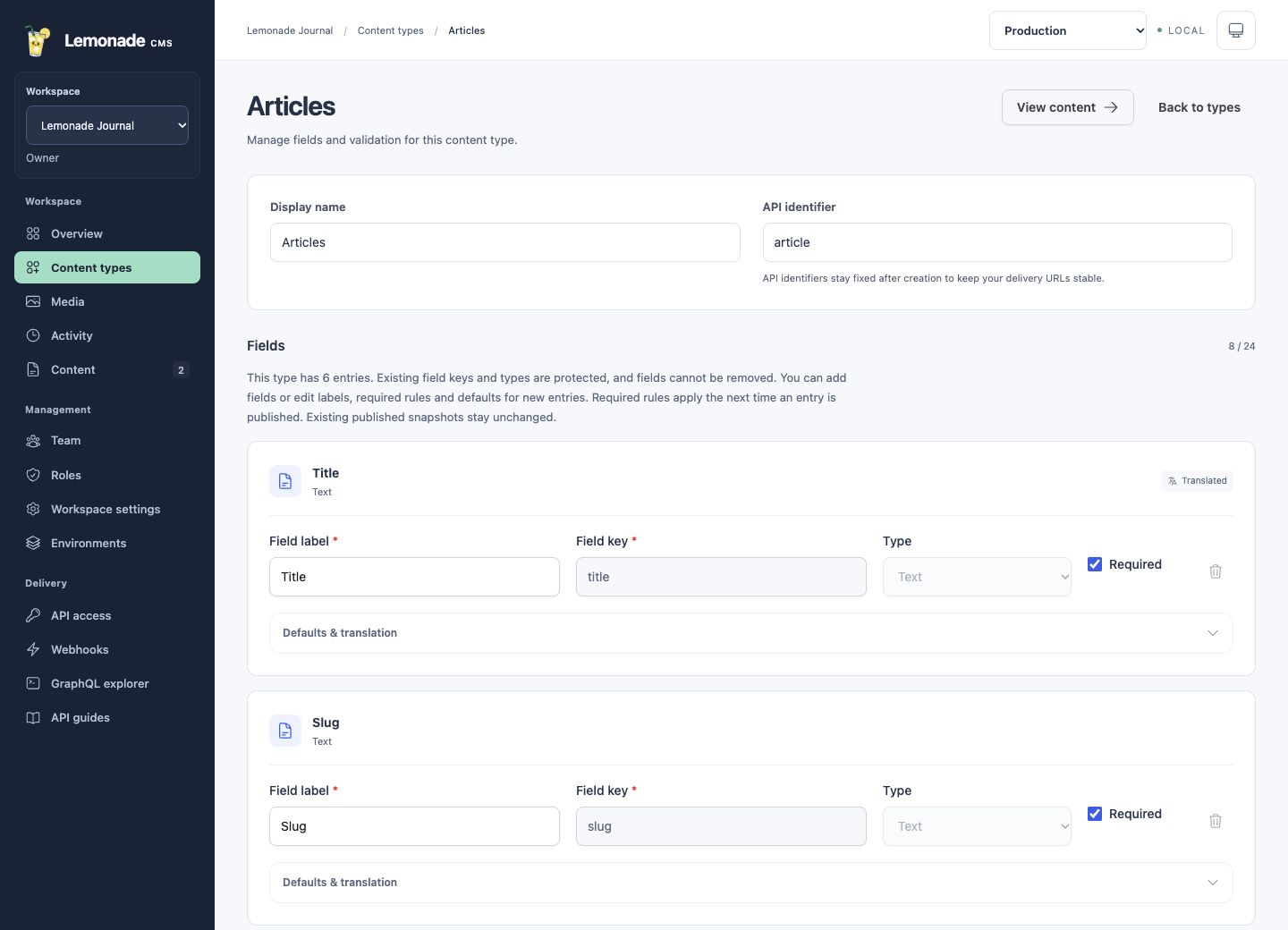
Shape your content.

Build content types with text, dates, choices, Markdown, media and relationships. Your editor follows your model.

Actual Articles model with named fields, required checkboxes and translation settings
Actual studio screens. Illustrative content. View full screen

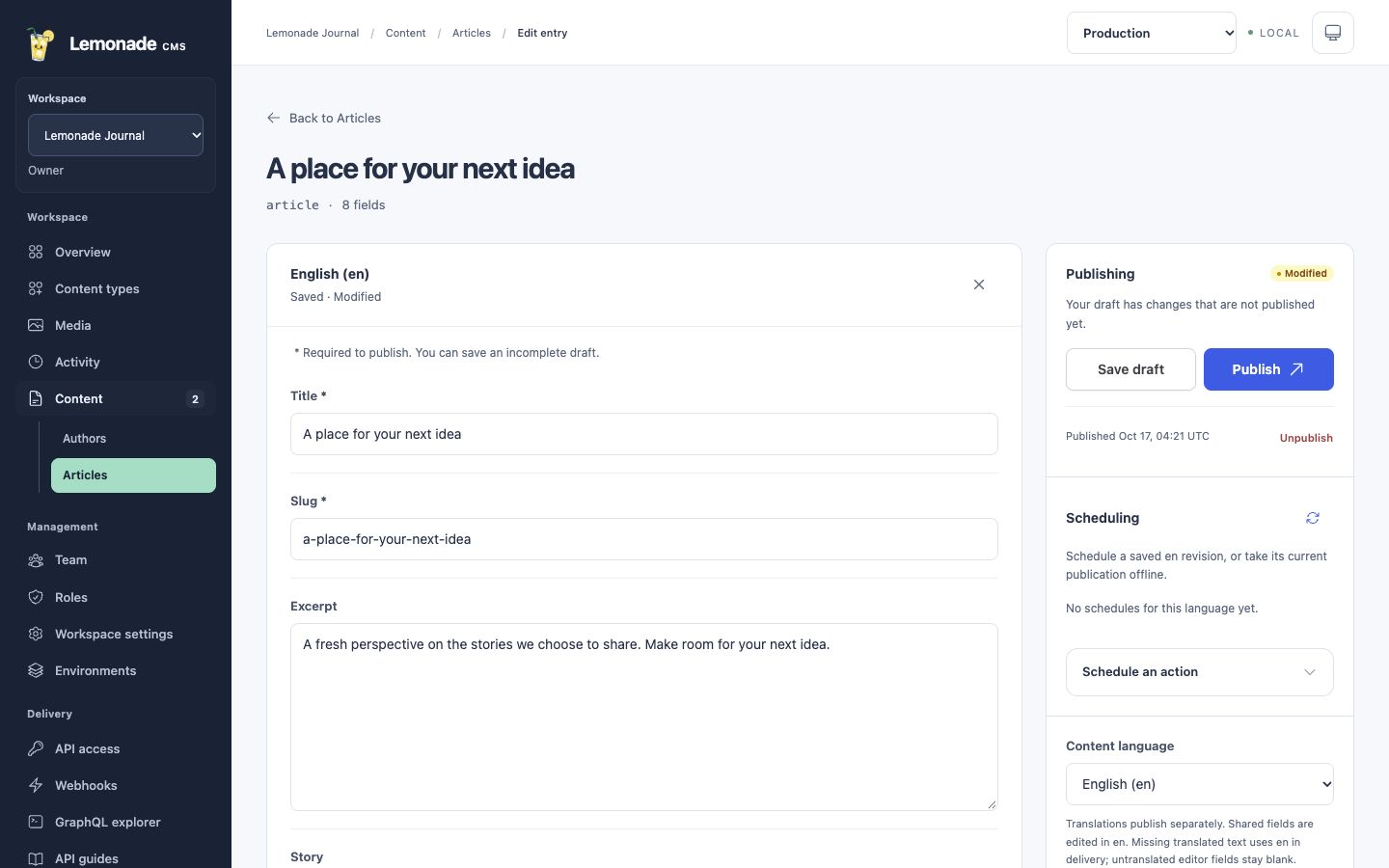
Create. Preview. Publish.

Keep drafts private, preview saved changes on your connected website, then publish deliberately. Reviews and schedules are optional.

Actual article editor with draft fields, publishing controls, scheduling and language selection
Actual studio screens. Illustrative content. View full screen

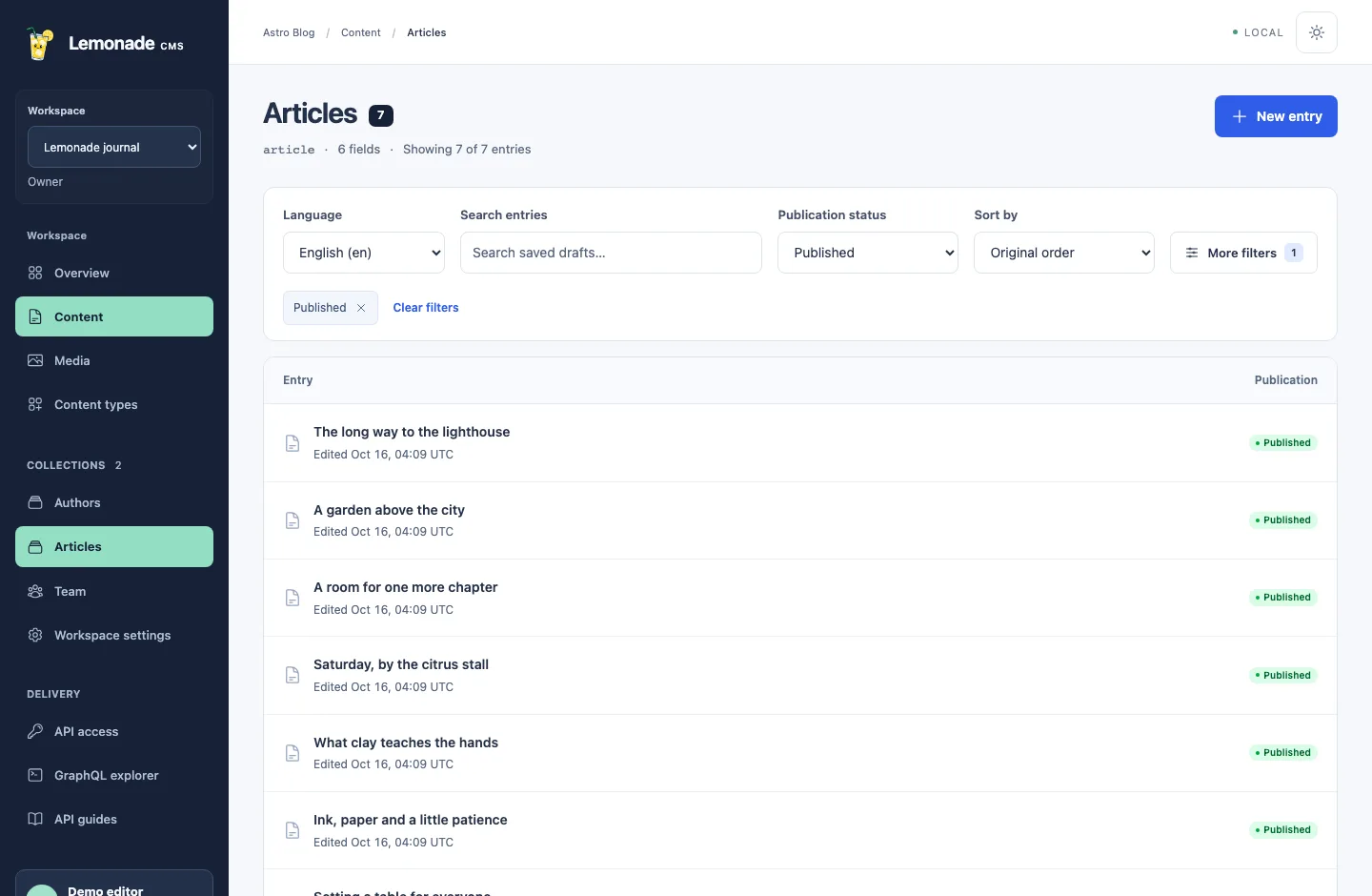
Deliver it anywhere.

Organize published entries, then read the same snapshots through REST, GraphQL, JSON-RPC or the client. Your frontend stays yours.

Actual article collection with search, content language and publication-status filters
Actual studio. Published demo content. View full screen

Your model.
Your way.

Define fields and relationships. Your content model becomes an editor that fits your team.

Shape your content
ArticleContent type
Title
Text
Story
Markdown
Author
Reference

Illustrative model

Good work.
In good hands.

Keep drafts private, invite a review and choose when your work goes live.

  1. Draft
  2. Review
  3. Schedule
  4. Publish

Reviews and schedules are optional.

Explore publishing

Speak their language.

Translate one entry and publish each language deliberately. Shared content stays connected.

  • English
  • Español
  • Português
Write in more languages

Your frontend.
Your rules.

One content source. REST, GraphQL, JSON-RPC or a typed client. Build with the tools you already love.

Connect your application
const articles = await cms
.content("article")
.list({ pageSize: 6 })

Less friction.
More flow.

A good structure gives your ideas somewhere to go. Lemonade keeps the moving parts together, so your team can focus on the content.

Meet your workspace

Shape your content.

Define fields, reusable components, media and relationships. Your models become the forms your team actually needs.

Use reusable components, conditional fields and media focal points.

Give every draft room.

Write in different languages, compare revisions and restore an earlier version. Your next idea stays private until you publish.

Keep translations, revision history and field comments together.

Publish with intention.

Request a review, check references and schedule publication. Optional workspace policies keep approval in the right hands.

Choose review stages, scheduled releases and scoped roles for your team.

Your frontend.
Your kind of API.

Keep the framework you love. Read the same content through REST, typed GraphQL, JSON-RPC or our JavaScript SDK.

  • Filters, sorting and pagination
  • Generated TypeScript model definitions
  • Public delivery and server-only draft previews
Prefer JSON-RPC? We've got that too.
product

JavaScript SDK example

JavaScript
// Your models. A familiar way to fetch them.
import { createCMSClient } from "@lemonadecms/client"

const cms = createCMSClient({
  url: "https://your-cms.example",
  projectId: "your-project-id",
  publicKey: "your-public-delivery-key",
})

const products = await cms.content("product").list({
  select: ["name", "price"],
  page: 1,
  pageSize: 6,
})

The SDK currently ships from this repository. Setup guide

REST example

HTTP · GET
// Standard HTTP. No client library required.
const url = new URL(
  "/api/v1/projects/your-project-id/content/product",
  "https://your-cms.example",
)
url.search = new URLSearchParams({
  page: "1", pageSize: "6", select: "name,price",
})

const response = await fetch(url, {
  headers: { Authorization: "Bearer your-public-delivery-key" },
})
const products = await response.json()

Readable URLs and published snapshots. REST guide

GraphQL example

GraphQL · query
# Queries follow your workspace's models.
query Products {
  productCollection(page: 1, pageSize: 6) {
    items {
      id
      fields {
        name
        price
      }
    }
    hasNextPage
  }
}

Send your project key in the Authorization header. GraphQL guide

Your content model. Your types.

Generate TypeScript definitions from a workspace schema. Use them with the SDK, regenerate when your models change, and check for drift in CI.

Learn about type generation
npx --no-install lemonade types generate \
  --url "$CMS_URL" \
  --workspace "$CMS_PROJECT_ID" \
  --environment production \
  --credential-env CMS_PUBLIC_KEY \
  --out src/cms-models.ts

Built here.
Made your own.

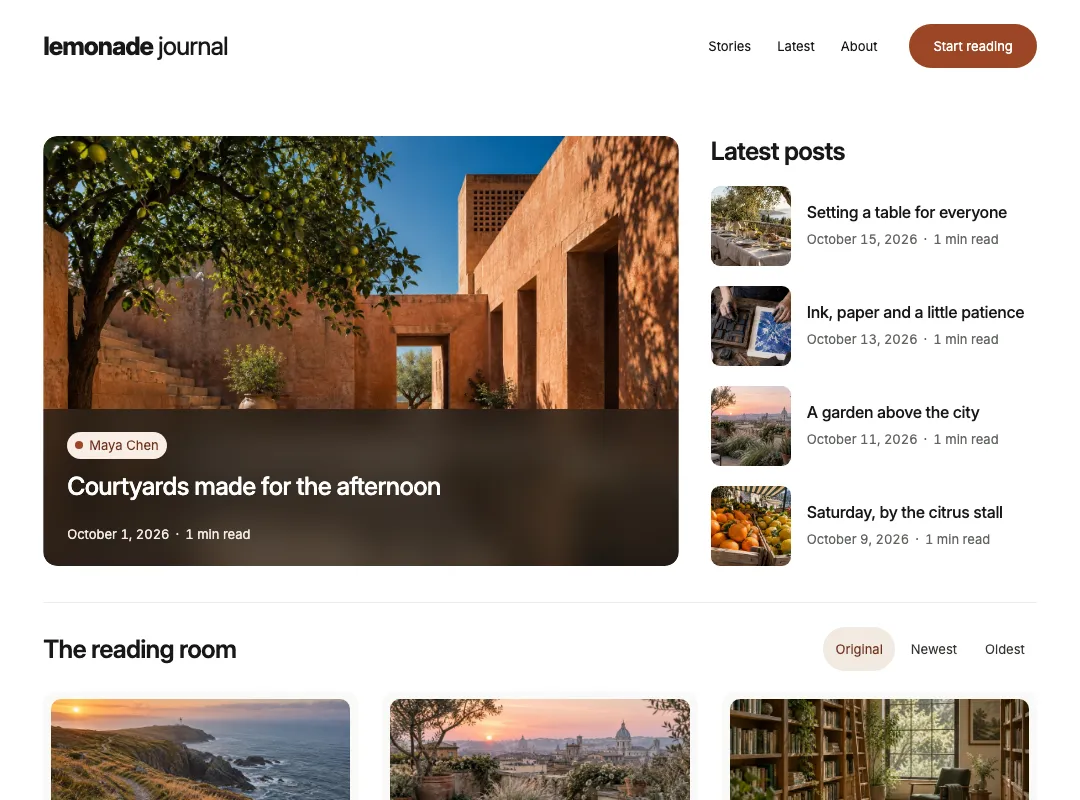
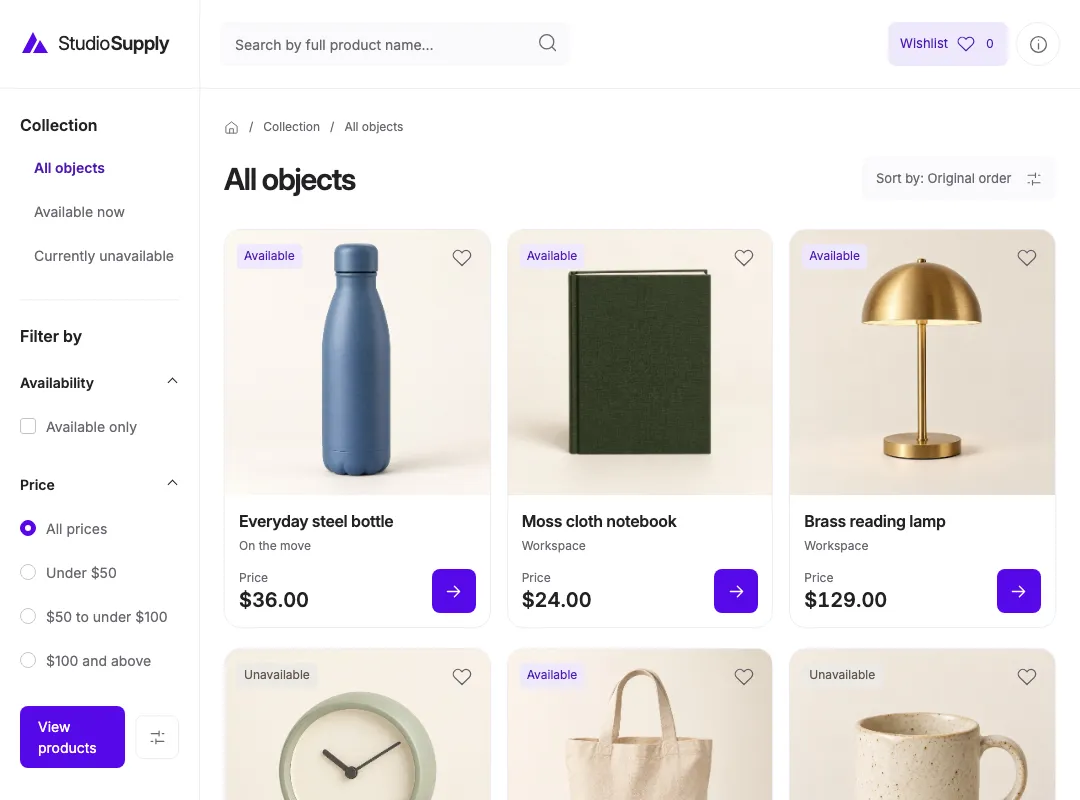
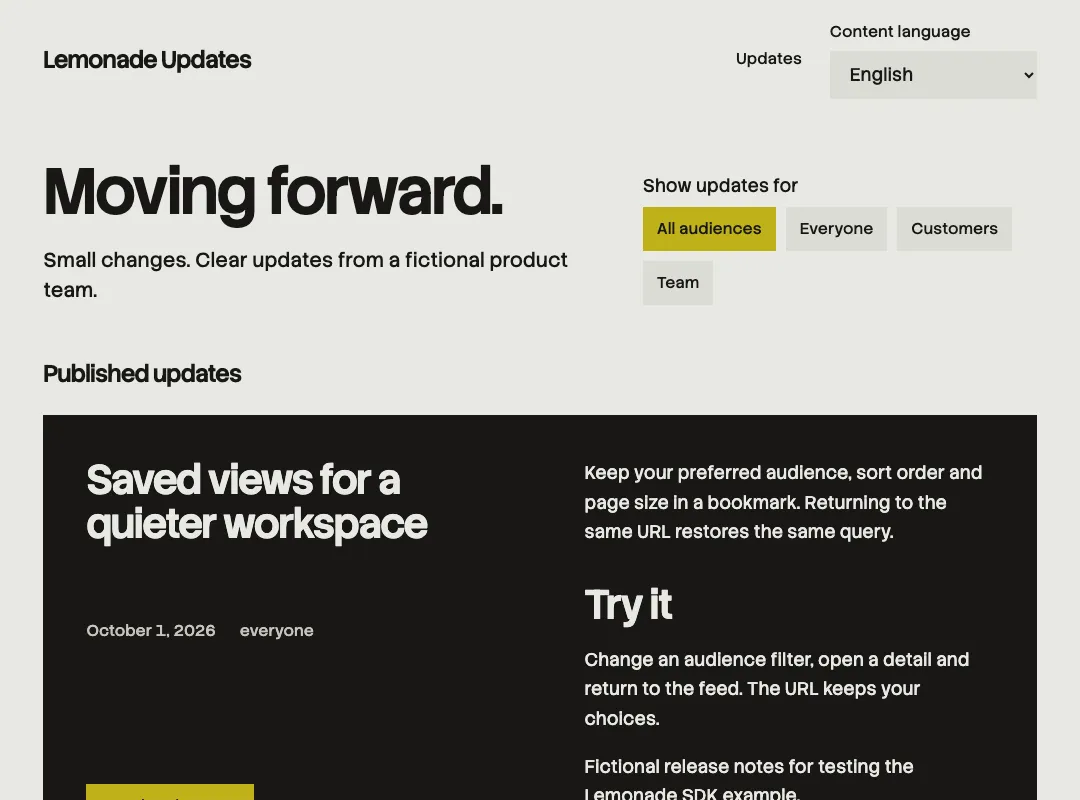
A journal, a catalog, a home for product updates. Three Astro examples turn published demo content into three very different websites.

Example sites and artwork are demonstration content. Checkout and payments are outside the CMS.

Your stack.
Your say.

Keep your content on infrastructure you control. Lemonade runs on Elixir, Phoenix and PostgreSQL, with persistent media on local storage or a private S3-compatible bucket.

Read the self-hosting guide
Application
Elixir + Phoenix
Database
PostgreSQL
Your frontend
Entirely up to you

A few good questions.

Lemonade manages content. Your website decides how it looks. Connect through REST, GraphQL, JSON-RPC or the JavaScript SDK, using the frontend you already know.

Yes. See saved drafts in a connected website using a server-side preview session. Draft credentials stay on your server, and public delivery continues serving published content.

Lemonade is an actively developed self-hosted pilot. The local workflows are tested; external deployment and real-team qualification are still in progress. Read the docs before choosing it for a production project.

Make something fresh.

Your next story, collection or app update starts here.

Open your studio